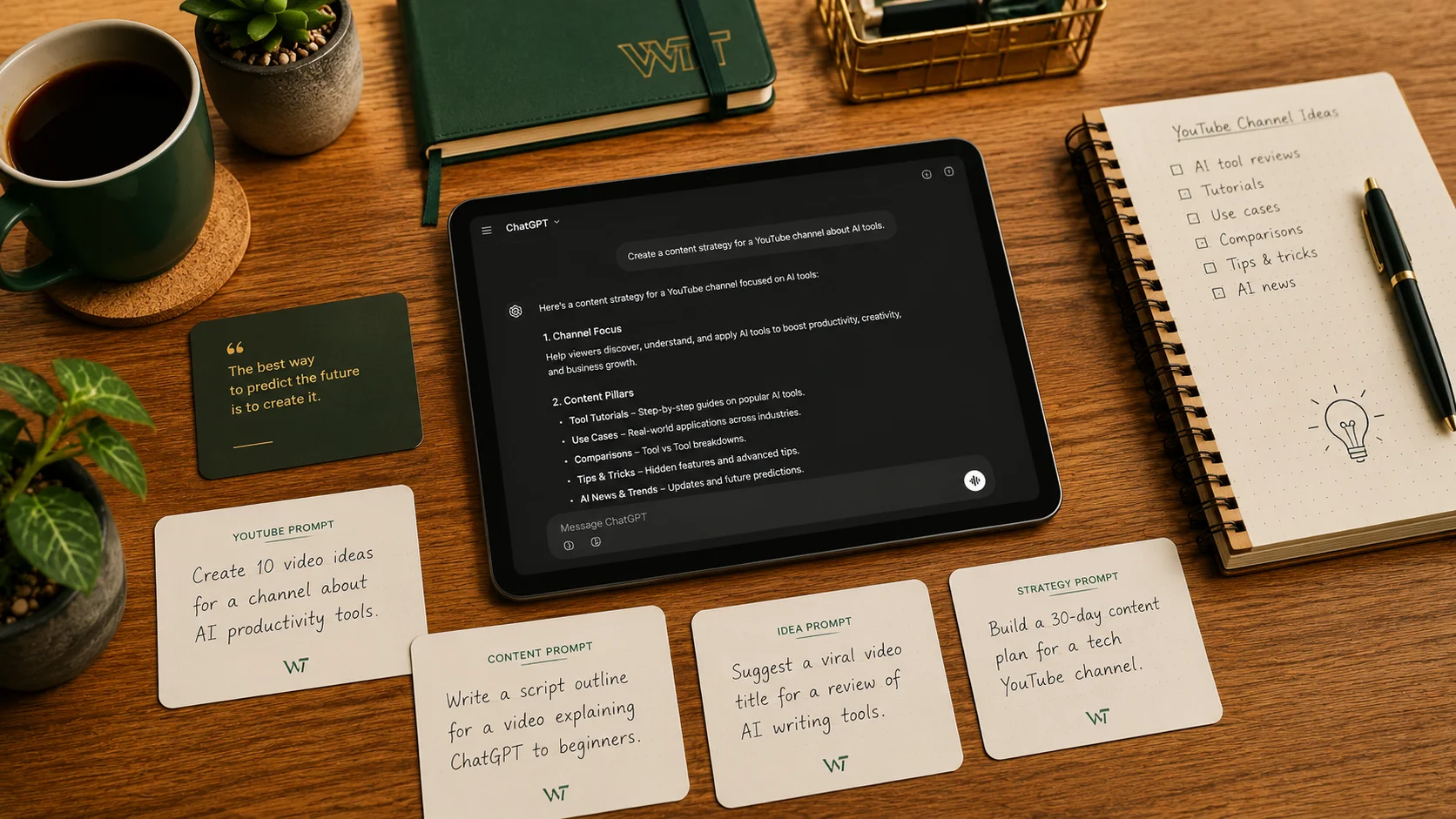
Most ChatGPT prompts you find online are either embarrassingly vague ("write me a YouTube script about fitness") or so over-engineered they take ten minutes to customize. This list is neither. These are 50 prompts I've built, tested, and refined over months of actual content creation work — YouTube channels, Instagram accounts, newsletters, and blogs. Every prompt includes a structure you can copy and fill in the blanks.
Before the prompts themselves, I want to share the one principle that separates great AI output from mediocre AI output.
How to Actually Get Good Output From ChatGPT as a Creator
The best mental model for working with ChatGPT is: brief it like you'd brief a talented freelance editor on their first day. That editor is smart, writes well, and can execute nearly anything — but they know nothing about your audience, your voice, your past content, or what you're trying to accomplish. If you give them vague instructions, you get generic work. If you brief them properly, you get something close to your own voice.
A proper creator brief has four parts: (1) the role you're assigning ChatGPT ("You are a YouTube scriptwriter who specializes in personal finance content for millennials"), (2) the specific output you need ("Write a 5-minute script"), (3) the context it needs to do the job well ("My audience earns $40K–$80K, are 25–35, and feel guilty about not saving enough"), and (4) the constraints ("No jargon, no bullet points in the script, open with a question not a statement").
This structure takes an extra 30 seconds to build but produces output that's 3–4x more usable. You'll see it reflected in every prompt below — they all have these four layers baked in. Replace the bracketed fields with your specifics and you're ready to go.
YouTube Prompts: Scripts, Hooks, Descriptions, and Titles
YouTube rewards watch time above all else — which means your hook (the first 30 seconds) and your script structure are the highest-leverage things AI can help with.
Prompt 1 — Full video script
You are a YouTube scriptwriter for a [topic] channel targeting [audience description]. Write a [length]-minute script that opens with a hook based on [specific problem or curiosity gap]. The script should have a clear three-act structure: hook and setup, core content with [number] main points, and a close that drives comments. Write it conversationally — as if the host is talking directly to one person, not presenting to a crowd. Avoid filler phrases like "in this video" and "don't forget to like and subscribe."
Prompt 2 — Hook variations
Write 5 different opening hooks for a YouTube video about [topic]. Each hook should use a different technique: (1) a surprising statistic, (2) a relatable mistake, (3) a bold contrarian claim, (4) a direct question to the viewer, and (5) a short story setup. Each hook should be under 30 seconds when spoken aloud. My channel covers [niche] and my audience is [describe].
Prompt 3 — Video title variations
Generate 10 YouTube title options for a video about [topic]. Include a mix of: curiosity gap titles, number-based titles, "vs" format titles, and one title using a specific audience identity (e.g., "For people who..."). The best title should be under 60 characters and searchable. My channel is in the [niche] space.
Prompt 4 — Video description (SEO)
Write a YouTube video description for a video titled "[title]". The description should: open with 2–3 sentences that summarize the video's value (not "in this video I will..."), include the keyword "[main keyword]" naturally in the first 100 characters, have a section with timestamps if I provide them, and end with a soft CTA to subscribe. Keep the total length under 300 words.
Prompt 5 — End screen CTA script
Write a 20-second end screen script for a YouTube video about [topic]. The CTA should feel like a natural continuation of the video, not a tacked-on sales pitch. Recommend one specific other video from my channel that covers [related topic] and explain in one sentence why the viewer should watch it next.
Prompt 6 — Community post
Write a YouTube Community post to promote my new video about [topic]. Make it feel like a behind-the-scenes tease — share one surprising thing from the video that isn't obvious from the title. Keep it under 150 words. End with a question to drive comments.
Prompt 7 — Chapter timestamps
Based on this script outline [paste outline], generate YouTube chapter timestamps in the format 0:00 — Introduction. Write chapter titles that are descriptive and keyword-rich, not just "Part 1" or "Section 2." The video is approximately [length] minutes long.
Prompt 8 — Pinned comment
Write a pinned YouTube comment for my video about [topic]. It should add one extra piece of value not covered in the video, drive discussion with a question, and mention [resource or link] naturally. Keep it under 100 words.
Prompt 9 — Short-form clip brief
I have a [length]-minute YouTube video about [topic]. Identify the 3 strongest moments from this transcript [paste transcript] that would work as YouTube Shorts or TikTok clips. For each moment, write a suggested title and a one-sentence explanation of why it would perform well as a short-form clip.
Prompt 10 — Response to top comments
Here are the top 5 comments on my YouTube video about [topic]: [paste comments]. Write thoughtful, personal-feeling responses to each one. Keep responses under 50 words each. Don't be sycophantic — engage with the actual point the commenter made.
Instagram and TikTok Prompts: Captions, Hooks, and Carousel Content
Short-form platforms prioritize the first line of your caption and the first second of your video. These prompts are structured around those entry points.
Prompt 11 — Instagram caption with hook
Write an Instagram caption for a post about [topic]. Start with a single opening line that stops the scroll — it should create a curiosity gap or make a bold statement. Then write 3–4 short paragraphs with the actual value. End with a question or soft CTA. My audience is [describe audience]. My tone is [e.g., direct and slightly irreverent, not corporate].
Prompt 12 — Carousel slide copy
Write copy for a 7-slide Instagram carousel about [topic]. Slide 1 should be the hook (a single strong statement or question). Slides 2–6 should each deliver one clear, actionable point in under 20 words per slide. Slide 7 should be a summary or CTA. Make each slide self-contained — someone swiping fast should still get value from each one.
Prompt 13 — TikTok script hook
Write 5 TikTok video opening lines (first 3 seconds of speech) for a video about [topic]. Each should use a different hook format: (1) a shocking claim, (2) a mistake/warning, (3) a direct address to a specific viewer type ("If you're a [identity]..."), (4) a before-and-after tease, and (5) a provocative question. Keep each under 15 words.
Prompt 14 — Caption variations for A/B testing
Write 3 versions of an Instagram caption for the same post about [topic]. Version A should focus on the emotional benefit. Version B should focus on the practical outcome. Version C should open with a personal story. Keep each version under 150 words. My niche is [describe].
Prompt 15 — TikTok full script
Write a 45-second TikTok script about [topic] for an audience of [describe]. Open with a hook in the first 3 seconds. Structure the rest as [number] rapid-fire tips or points, each delivered in 1–2 sentences. End with a pattern interrupt or twist that makes the viewer comment or share. Write it as spoken dialogue, not bullet points.
Prompt 16 — Instagram story sequence
Write a 5-slide Instagram Story sequence to promote [content or product]. Each slide should have a short text overlay (under 10 words) and a suggested visual description. The sequence should tell a micro-story: problem, context, insight, resolution, CTA. Keep the overall tone [e.g., conversational, urgent, playful].
Prompt 17 — Viral comment bait post
Write an Instagram caption for [topic] specifically designed to drive comments. Use the "this or that" format, a fill-in-the-blank, or a strong polarizing opinion. My account is about [niche] and my audience is [describe]. The caption should feel natural, not forced.
Prompt 18 — Reel description
Write an Instagram Reel description for a video about [topic]. The first line should stand alone as a hook. The full description should be under 125 characters so it doesn't get cut off in feed. Include a CTA in the last line.
Prompt 19 — TikTok comment response
A viewer commented "[paste comment]" on my TikTok about [topic]. Write a response that adds genuine value, invites further discussion, and sounds like a real person — not a brand. Keep it under 80 words.
Prompt 20 — Pin post caption
Write a pinned Instagram post caption that introduces my account to new visitors. Cover: who I am, what my account is about, who it's for, and what they'll get from following. My niche is [describe]. Keep it under 200 words and make the first line strong enough to stop a new profile visitor from leaving.
Blog and Newsletter Prompts: Intros, Outlines, and Subject Lines
Written content rewards depth and specificity more than any other format. These prompts are calibrated for quality over speed.
Prompt 21 — Blog post intro
Write a blog post introduction for an article titled "[title]." The intro should: open with a specific scene or relatable situation (not a statistic), establish the problem clearly in the second paragraph, and end with a bridge sentence that makes the reader want to continue. Keep it under 200 words. The audience is [describe] and the tone is [e.g., conversational and direct].
Prompt 22 — Article outline
Create a detailed outline for a [word count]-word blog post titled "[title]." Include: an intro section, [number] H2 sections each with 2–3 H3 subpoints, and a conclusion. For each section, write a one-sentence description of what it should cover and the key point it needs to make. The article targets the keyword "[keyword]" and is aimed at [audience description].
Prompt 23 — Email newsletter intro
Write the opening 3 paragraphs of an email newsletter for [niche/topic]. The first line should feel like a message from a friend, not a brand announcement. The second paragraph should set up the main topic of this edition. The third paragraph should transition naturally into the main content. Keep each paragraph under 60 words. My newsletter's tone is [describe].
Prompt 24 — Email subject line variations
Write 10 email subject lines for a newsletter about [topic]. Include a mix of: curiosity-gap, benefit-led, numbered, personal story, and question formats. Keep each under 50 characters. Flag which 3 you would recommend testing first and explain why in one sentence each.
Prompt 25 — Blog post conclusion
Write a conclusion for a blog post about [topic]. The conclusion should: briefly recap the 3 main takeaways without just repeating what was said, offer one forward-looking thought or action the reader can take today, and close with a question that invites comments. Keep it under 150 words. Don't start with "In conclusion."
Prompt 26 — Re-engagement email
Write a re-engagement email for newsletter subscribers who haven't opened in [time period]. The subject line should acknowledge the gap without being guilt-trippy. The body should: remind them what the newsletter is about, share one valuable thing they missed, and offer an easy way to update their preferences or unsubscribe. Keep the total length under 200 words.
Prompt 27 — Meta description
Write a meta description for a blog post titled "[title]." The description should be under 155 characters, include the keyword "[keyword]" naturally, communicate the specific value of reading the article, and end with a subtle CTA. Don't make it sound like an ad.
Prompt 28 — Newsletter welcome email
Write a welcome email for new subscribers to a newsletter about [topic]. The email should: feel warm and personal (not corporate), explain what they can expect and how often they'll hear from me, deliver one immediate piece of value (a tip, resource, or insight), and end with a question to encourage a reply. Keep it under 300 words.
Prompt 29 — Blog internal linking suggestions
I have a blog post about [topic]. Here are the titles of 10 other articles on my site: [list]. Suggest 3–4 natural internal linking opportunities — where in the new article I should link to existing content, and what anchor text to use. Explain in one sentence why each link is contextually relevant.
Prompt 30 — FAQ section for blog post
Generate a 5-question FAQ section for a blog post about [topic]. Each question should target a long-tail search query that someone researching this topic might use. Each answer should be 2–3 sentences — enough to be useful, not so long it becomes another article. Format in plain HTML with question/answer pairs.
Repurposing Prompts: Turn One Piece of Content Into Five Formats
Repurposing is where AI saves the most time in real creator workflows. These prompts assume you have a finished piece of content (a blog post, a YouTube video, a newsletter) and want to extract maximum value from it.
Prompt 31 — Blog post to newsletter
I have a blog post about [topic]. Here is the full text: [paste]. Rewrite the core idea as an email newsletter edition. Keep the main insight intact but change the format: write it as a direct message to one person, cut any SEO-padding, and add a personal observation or anecdote that wasn't in the original. Target length: 300–400 words.
Prompt 32 — YouTube video to Twitter/X thread
Here is the transcript of a YouTube video about [topic]: [paste]. Convert the key ideas into a Twitter/X thread. The first tweet should be a strong hook that works standalone. Each subsequent tweet should deliver one clear point. The final tweet should be a CTA or reflection. Aim for 8–12 tweets, each under 280 characters.
Prompt 33 — Long-form article to carousel
I have a long-form article about [topic]. Here are the main sections: [paste headings and key points]. Convert this into a 10-slide Instagram carousel. Each slide should have one main point, written as a single bold statement or tip (under 15 words). Add a one-sentence elaboration for each. Slide 1 = hook, Slide 10 = CTA.
Prompt 34 — Newsletter to LinkedIn post
Here is a newsletter edition I wrote about [topic]: [paste]. Rewrite the core idea as a LinkedIn post. LinkedIn rewards a strong opening line that stops the scroll in the feed. Use short paragraphs (1–2 sentences max). End with a question to drive comments. Target length: 200–250 words. My professional context is [describe].
Prompt 35 — Podcast episode to blog post outline
Here is a transcript (or summary) of a podcast episode about [topic]: [paste]. Generate a structured blog post outline based on the discussion. Identify the 4–5 most valuable points from the conversation, suggest an SEO-optimized title, and write a one-paragraph intro. I will write the full post from this outline.
Prompt 36 — Video to short-form quote graphics
From this video script/transcript about [topic] [paste], extract 6 quotes that would work as standalone shareable graphics. Each quote should make sense without additional context, be under 20 words, and contain a genuine insight (not just a generic statement). Format as a numbered list.
Prompt 37 — Content to email sequence
I have [number] blog posts on the topic of [topic]. Here are the titles and main points: [paste]. Turn these into a 5-email nurture sequence for new subscribers. Each email should be based on one article but written conversationally for email. Suggest a subject line and a 200-word email body for each, with a natural CTA to read the full article.
Prompt 38 — Blog to video script
Here is a blog post about [topic]: [paste]. Convert this into a 5-minute YouTube script. The blog's structure can be kept, but rewrite all sentences for spoken delivery — shorter sentences, more contractions, no passive voice. Add a hook at the start that wasn't in the blog intro. Note where the script should pause for B-roll.
Prompt 39 — Webinar to content plan
I recently hosted a webinar about [topic]. Here are the main sections covered: [paste outline or notes]. Generate a 30-day content plan based on this material. Map each main point to a content format (blog post, Instagram carousel, YouTube video, newsletter, or short clip). Distribute across 4 weeks with 5–6 pieces per week.
Prompt 40 — TikTok to Instagram Reel adaptation
Here is a TikTok script about [topic]: [paste]. Adapt it for Instagram Reels. The core content can stay the same but: adjust the pacing for Instagram's slightly older audience, refine the opening hook (Instagram Reels viewers are slightly less forgiving than TikTok), and suggest any changes to the call-to-action at the end.
Advanced Prompts: Brand Voice, Content Calendars, and Audience Personas
These prompts are for creators who want to build systems, not just individual pieces. They take more setup but produce outputs you'll use for months.
Prompt 41 — Brand voice guide
I'm creating a brand voice guide for my content. Here are 5 examples of content I've created that I think represents my voice well: [paste examples]. Based on these, create a brand voice guide with the following sections: (1) Three adjectives that describe my voice, each explained in 2–3 sentences. (2) Words and phrases I use often. (3) Words and phrases I never use. (4) My sentence length and structure preferences. (5) How I handle humor. (6) How I talk about my audience. This guide will be used to brief AI tools and collaborators.
Prompt 42 — Monthly content calendar
Create a 30-day content calendar for a [niche] creator posting on [platforms]. Include [number] posts per week per platform. The month's theme is [theme]. For each post, provide: the format (Reel, carousel, single image, YouTube video, etc.), a working title or hook, and which content pillar it falls under. My 3 content pillars are [list them]. Export as a table.
Prompt 43 — Audience persona
Build a detailed audience persona for my [niche] content. My current audience data shows: [paste any analytics info — age ranges, location, top-performing content topics, etc.]. Create a persona with a name, age, job, daily routine, top 3 frustrations related to [niche], top 3 goals related to [niche], where they spend time online, and what would make them subscribe, save, or share my content.
Prompt 44 — Content pillar framework
I create content in the [niche] space. My goal is to [describe goal — e.g., grow to 50K followers, build an email list, sell a course]. Help me design a content pillar framework: 4–5 recurring content categories that serve my audience and support my goal. For each pillar, explain the purpose, the formats it works best in, and give 3 example post ideas.
Prompt 45 — Competitive analysis brief
I want to understand the content strategy of [competitor/creator name] in the [niche] space. Based on what you know about this creator (or based on the examples I'll paste), analyze: (1) their apparent content pillars, (2) their posting frequency and format mix, (3) what topics drive the most engagement, (4) gaps in their content I could fill, and (5) their hook style. [Optionally paste 5 of their recent post captions or video titles.]
Prompt 46 — Sponsorship pitch email
Write a sponsorship pitch email to [brand name] from a creator in the [niche] space. My channel/account stats: [paste relevant numbers]. Keep the email under 250 words. The email should: open with a specific reference to the brand (not a generic opener), briefly establish my audience fit, propose one specific collaboration idea, and end with a low-friction ask. Do not use the phrase "I am reaching out."
Prompt 47 — Evergreen content ideas
Generate 20 evergreen content ideas for a [niche] creator. Evergreen means the content will be as relevant in 2 years as it is today — no trend-dependent topics. For each idea, suggest the best format (long-form video, carousel, blog post, etc.) and write a one-sentence explanation of why it has long-term search or save value.
Prompt 48 — Content series concept
Develop a content series concept for my [platform] account in the [niche] space. The series should: have a clear recurring format that viewers/followers can anticipate, deliver genuine value in each episode, reinforce my main content pillar of [describe], and be sustainable to produce weekly for 3+ months. Give it a series name, a format description, 5 example episode titles, and a suggested posting cadence.
Prompt 49 — Year-in-review content post
Write a year-in-review post for my [platform] account covering the past year of [niche] content. Use these key stats and moments: [paste your numbers and highlights]. Write it as a personal reflection, not a corporate announcement. Share one thing that worked, one thing that didn't, and one goal for next year. Aim for [word count] words. My tone is [describe].
Prompt 50 — Content GPT system prompt
Build a custom system prompt I can use at the start of every ChatGPT session for content creation. It should contain: my brand voice description (from Prompt 41), my audience persona summary (from Prompt 43), my content pillars (from Prompt 44), platforms I post on, formats I use most, and 3 things I never want in my content. This system prompt will be pasted at the beginning of every new ChatGPT conversation so the AI immediately knows my context.
Save this page — or copy the prompts you need into a Notion doc alongside your brand voice guide. The more context you give ChatGPT upfront, the less editing you'll need to do at the end. That's the whole game.